I just found this amusing:
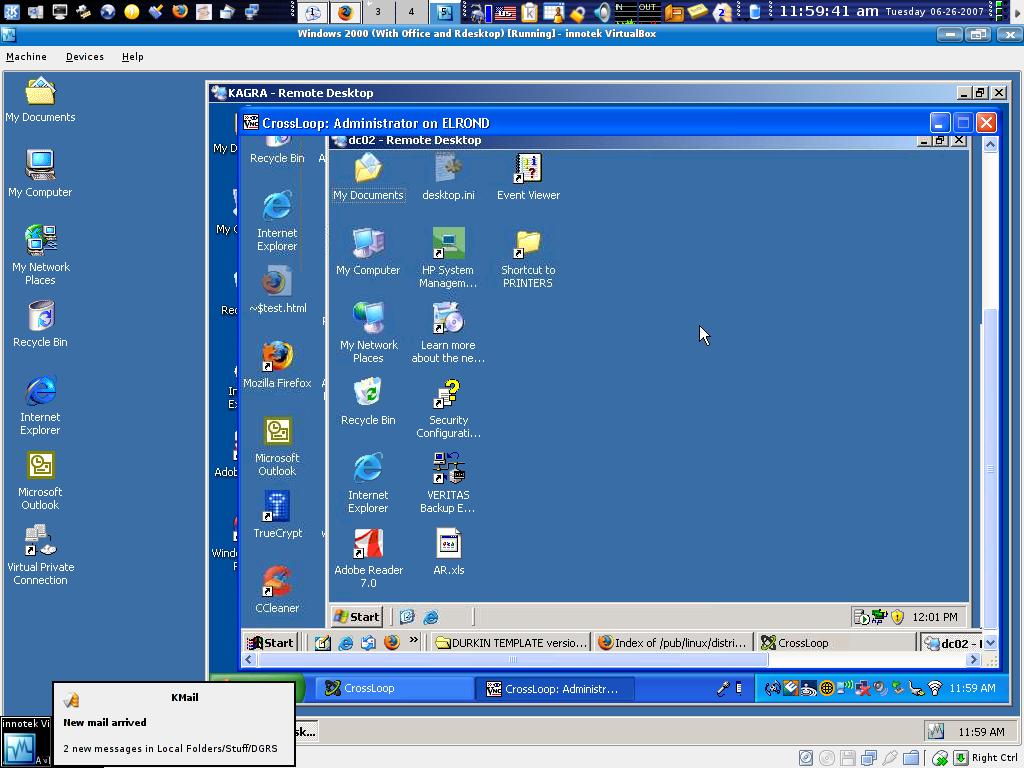
click to enlarge
Let me explain what is going on in this picture:
- Windows 2000 Profesional is running in VirtualBox under Kubuntu
- Inside the emulated windows I opened a Remote Desktop connection to Windows XP Professional Workstation
- Using the Windows XP workstation I connected to a Windows 2000 box via Crossloop
- Finally I used the remote Windows 2000 workstation to connect to a Windows 2003 server via Remote Desktop
I was bored. Sue me.
[tags]virtualbox, remote desktop, crossloop, emulation, windows, windows 2000, windows xp, windows 2003, kubuntu[/tags]
I did a screenshot that was similar:
LINKY
*) I am logged into my Solaris system
*) I ran rdesktop to connect to my windows system remotely
*) Inside of windows, I ran VNC to connect to my Mac
*) On my Mac I ran an X server
*) Inside the X server, I ran Xnest and connected back to my Solaris system
Talk about ways to induce lag!
Oh! Your’s is better because it is recursive. Now you could log into the Sun again and repeat the process. :P
[quote post=”1691″]Oh! Your’s is better because it is recursive. Now you could log into the Sun again and repeat the process[/quote]
Not only that, but I used three totally different operating systems and protocols!
I can be too clever for my own good some days.
I’ve used Logmein to remote control my other computer, then inside the logmein window opened up logmein and remote controlled the first computer.
It used to prevent you from doing that.. maybe it won’t work any more if it was a temporary bug.. or maybe I actually went and used the remote controlled computer in the normal way..
Either way it caused the kind of effect that you get from standing between 2 mirrors
mmm, laggy :mrgreen:
[quote comment=”4980″]I’ve used Logmein to remote control my other computer, then inside the logmein window opened up logmein and remote controlled the first computer.[/quote]
Hehe! The best way set up a VNC server, and then on the same machine use a VNC client and connect to localhost. Yay for recursion!
Picture this.
Start up an Intel based Mac.
Open up Windows XP Pro on the Mac
Remote Desktop to my Front side server
Remote Desktop from my Front side server to my Web Server
Remote Desktop from my Front side server to my DB Server
Remote Desktop from my Web server to the same DB server only to see the programs i opened up on the other Remote Desktop.
This is what happens most every day (although i try to use a PC when i can)
All our PRODUCTION servers are only accessible via remote. and because of security only one can be remoted into from “outside” the env they are in. All other um..6 boxes must be remoted into from the Front side or another box on the same net.
and oh ya, you cant remote to them without a VPN connection first.
phew.
Oh man. I wouldn’t want to do that daily. I had a similar situation once though.
At a remote site only the server could be accessed from the outside via VPN. So to get to other boxes on that network we had to:
1. vpn to the server
2. rdesktop to the server
3. from the server, rdesktop to the workstation
It was laggy.