I just discovered Komodo Edit from ActiveState (the same dudes who make that windows based Perl Package. Review Time!
My new favorite PHP editor.
What is it?
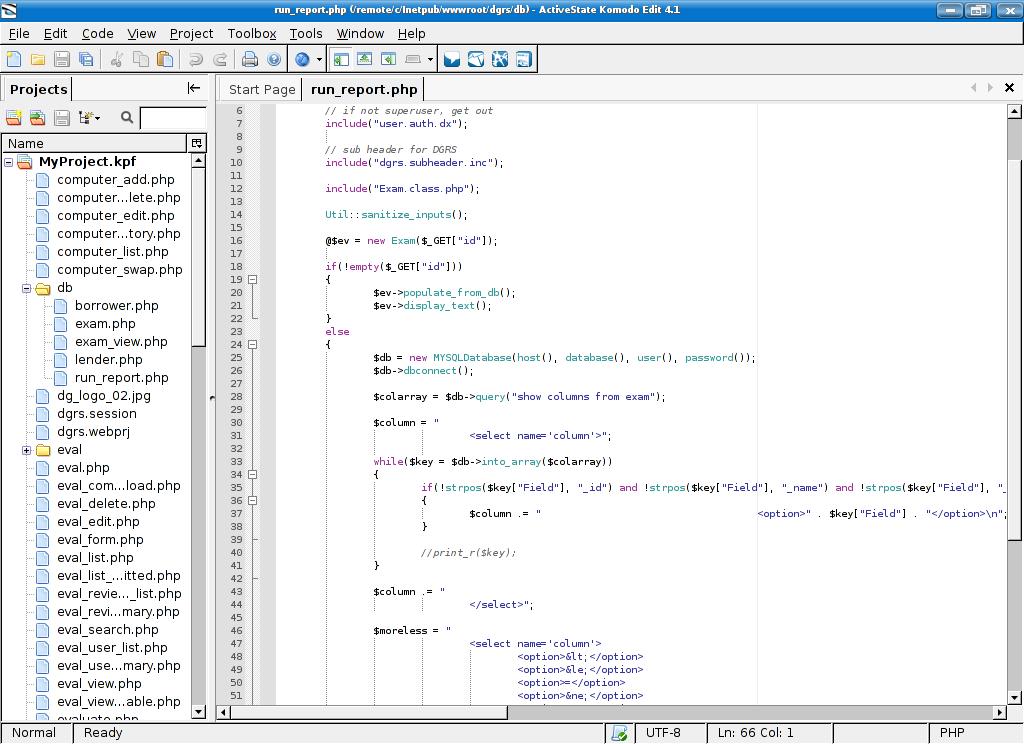
Komodo Edit 4.1 is a lightweight IDE with support for PHP, Python, Perl, Ruby, TCL and some more. It is the free version of ActiveState’s Komodo IDE suite. As such it is missing some advanced features such as CVS/Subversion integration, Object browser, DOM browser, debugger and etc. However it does however provide basic project management, syntax highlighting, and word completion tools. I generally do not use these tools for writing basic PHP4 code which makes this editor an attractive choice for me.
Why do I like it?
There are few features in this editor that I love. One of them is the Vi mode. Yep – you got it, you can set Komodo into Vi emulation mode and work in a modal environment with all the quirky keybindings openly flaunt your über 1337 skillz!
Second feature I love is the inline error checking – also known as the squiggly line. As you type Komodo interprets your code, and underlines all the potential fuck-ups. I’m used to this behavior from Eclipse and Visual Studio but these big IDE’s seem to be overkill for my PHP needs. Quanta Plus which I used up until this point didn’t have it.
In addition, it is a multi-platform solution. ActiveState provides binaries for Windows, OSX and Linux. I’m currently running it under Kubuntu Dapper and experienced no problems with installation, configuration or normal day-to-day use.
Why I don’t like it?
Komodo Edit 4.1 is a proprietary application with a binary only release. This means that at any point ActiveState may decide to stop it’s development, end it’s life or change it to a limited trial shareware model. It is likely that at one point in the future something like that may happen – sspecially since they already have the non-free premium edition available for sale.
Also Komodo will probably never be available via apt repositories, which means that you have to hunt down dependencies yourself. When I installed it, it just worked straight out of the box – but I do not guarantee that it will run on a fresh Ubuntu install. I had this machine for a while, and installed quite a few things so it’s possible I simply picked up the required dependencies along the way.
Also, I needed to install the php4-cli package to enable the squigly-line error checking. This is not a flaw in the software itself of course. Just something that I needed to figure out on my own, because Komodo does not provide any tools for configuring this feature. It simply looks for an executable command line interpreter for a given language somewhere in the path. It is a fair assumption that there will be one, but I would much rather have some sort of configuration panel in there that could be used to tweak these settings.
Conclusion
I’m sold. I’m currently using it as my PHP editor of choice on my laptop. So far I’m very pleased with it. The Vi mode and Squigly Line are just to sweet to pass them up – even if it means using a proprietary solution. :)
My rating: stars


I liked Quanta Plus, but this is just much better PHP IDE. At least for my needs.
[tags]ide, php, web design, php ide, komodo, komodo edit 4.1, active state[/tags]
Sorry for the OT, but I tried to subscribe to your RSS feed using the link at the bottom of the page, but it didn’t work, I noticed the working feed is the ine by Feedburner, but I suggest you to edit the link in the footer.
Thank you for your useful posts! Bye
Erin from ActiveState here. Glad you like Komodo Edit. (I assume you mean Komodo Edit 4.1, our latest release.)
Rest assured that Komodo Edit is free and will always be free. The license for Edit has no restrictions on usage (i.e. you can use it commercially, there is no time limit, etc), and although it’s not open source, it is based on a number of open source projects.
The Komodo community site is a great resource for install and configuration FAQs and grabbing some cool free extensions (Komodo’s built on Mozilla, so you can create Firefox-like extensions) that might make your experience better. Plus, we’ll be launching some screencasts in the next week or so to make getting started easier. It’s http://community.activestate.com/.
Feedback is always welcome–thanks for yours.
[quote comment=”4557″]Sorry for the OT, but I tried to subscribe to your RSS feed using the link at the bottom of the page, but it didn’t work, I noticed the working feed is the ine by Feedburner, but I suggest you to edit the link in the footer.[/quote]
I just checked it and it seems to be working fine for me. Just remove the feed:// from the beginning of the URL if you are pasting it directly into a feed reader. If you click on the link in Firefox it should correctly interpret the protocol and attempt to subscribe to it in your defined feed reader.
[quote comment=”4561″]I assume you mean Komodo Edit 4.1, our latest release.[/quote]
Oh crap! You are right. Man, I really am dyslexic. LOL
Thanks for the info. I’m loving that editor more and more every day. :)
Pingback: Terminally Incoherent » Blog Archive » Vi Keybindings for Eclipse?

Pingback: Terminally Incoherent » Blog Archive » Writing Your First Wordpress Plugin

Hi there. Here’s what I did to have some basic svn intergration inside komodo edit:
http://blog.doru.homeunix.org/index.php/2009/02/12/home-baked-svn-supp ort-for-komodo-edit/