This is going to be a quick rant about usability. Recently I noticed that a lot of Windows XP and Vista users get very frustrated with their machine at boot time. This frustration stems from the fact that while their graphical desktop environment is fully loaded , their machine is not ready to be used yet. Let me walk you through a typical windows boot sequence:
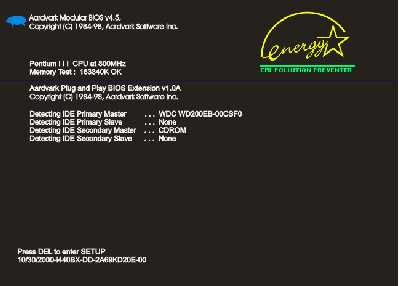
1. The BIOS POST sequence:
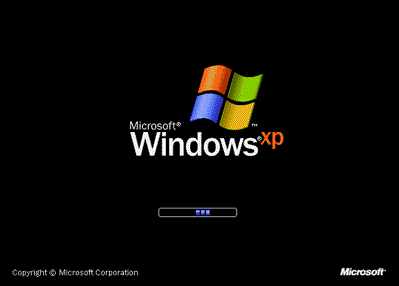
2. The Windows Logo:
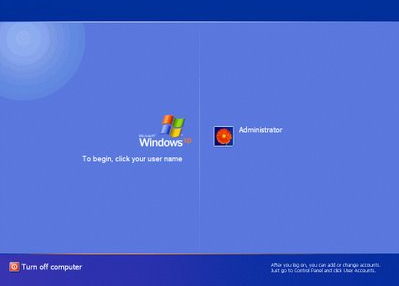
3. Potential Login screen:
4. Windows Desktop
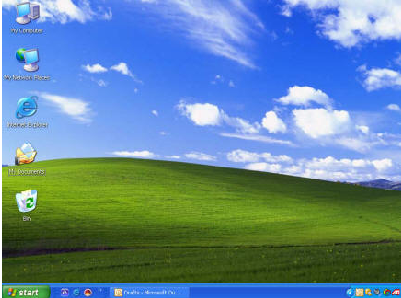
Naturally, the fact that you see the desktop, almost never means you can use it unless you are running a pristine clean windows install that is. And even then, it still takes few seconds before the explorer becomes fully responsive. Most brand new computers come preloaded with a slew of applications that are loaded on startup. These include antivirus suites, search applications, notification services, vendor specific applications and etc. So it usually takes 10-15 seconds (sometimes even up to a minute or two) for all of them to finish loading. It seems that windows designers decided to render the desktop as soon as it was humanely possible to allow impatient users start moving their mouse around and click icons. Unfortunately this is not a perfect choice. While the user gets the control of the machine early, it will act extremely sluggish, unresponsive and in general annoying for the first few minutes of operation. This is extremely frustrating when you are for example trying to quickly boot up your laptop and show someone/print that important document.
I noticed that my Kubuntu machine does not exhibit such behavior. Instead, when I log in it shows me a KDE splash screen with a nice progress dialog which tells me what is being done as I wait:
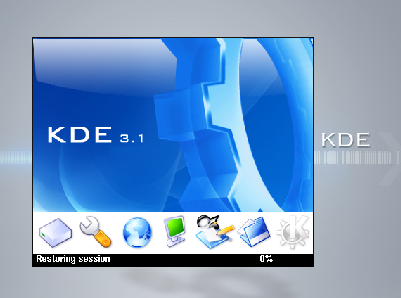
KDE is not rushing ahead to show me a mostly unusable desktop as soon as it can render it. Rather, it patiently loads up all the components, and allows applications to start initializing themselves. When my graphical desktop pops up, the machine is ready and I can jump right into action. Part of this of course is the inherent division between the core linux OS and the graphical desktop environment that runs on top of it. By the time KDE starts loading, all the system daemons are already loaded and running, the X server has been initialized and the OS is fully operational. With windows this is not always the case. Some applications – especially made by Symantec and McAfee like to take their sweet time hugging the CPU and initializing for a long time after the desktop appears. What are they doing? Are they take all this time to build their unnecessarily flashy GUI’s all this time?
The reverse is also true. If you go nuts, and use exuberant number of KDE based tray applications and desktop widgets that start with the system you may get it to the point where it starts sluggishly just like your average Windows desktop.
I think that a splash screen which would delay displaying of the desktop and say something like “Loading Applications/Components… Please Wait…” and display a progress bar is a great idea – for any OS. I really don’t mind waiting a little longer during startup. How often do I boot my machine anyway? My laptop gets booted on average once a day. My desktop – once every two months maybe. Sometimes less often than that.
That’s just something that popped into my head while I observed users cursing and hitting their laptops while trying to do something really quickly right after rebooting them. To me, waiting for a progress bar is easier on the nerves. It gives the user an idea how long the process will take, allowing him to take a bathroom break, or maybe grab a cup of coffee and let the computer finish what it’s doing. When you show the user a seemingly functional desktop, but remain unresponsive it is almost like you were taunting him. Clueless users are usually not in habit of observing the HD LED or listening to the grinding noise to judge whether or not the boot process was finished as we do. They always try to use it to early, and get angry, annoyed or just roll their eyes with impatience.
But perhaps I’m wrong about this. Feel free to present counter arguments in the comments.
[tags]windows, slplash, kde, post, bios, windows logo, boot sequence[/tags]
Well, this symptom is a result of whiny users in the past complaining of the slow boot-up time. Microsoft just put the login screen sooner in the process to give the illusion that the computer is ready at a much faster rate.
All operating systems are doing this now. Instead of bringing things up serially, they now blast everything in parallel the minimize boot time. Heck, even Sun is guilty of this since Solaris started using SMF.
Personally, I don’t think it is a bad thing. It is frustrating since there is no indication that the system is fully up and ready for business, but overall, it reaches that point faster than it has in the past.
True. Perhaps we could do both – have the desktop appear as early as possible, but also have a progress bar running somewhere in the corner of the screen telling the user that stuff is still loading.
I recently saw recent Norton Internet Security release attempting to give users some feedback – when it finishes loading it pops up a tray notification letting the user know it is done, and all is well with the system. The other thing is that it popped up 3 minutes after desktop was visible on a 2 GHz dual core machine with 2GB of RAM which is almost criminal performance. :P
The most annoying thing is when you try to launch an application while windows is booting and the whole system crashes, this happens to me very often (i’m an impatient one).
You wrote:
The reverse is also true. If you go nuts, and use exuberant number of KDE based tray applications and desktop widgets that start with the system you may get it to the point where it starts sluggishly just like your average Windows desktop.
That’s true, but if you’re able to open a terminal window, you can always killall some application, not the same in windows, or at least, not so easy.
[quote post=”2445″]That’s true, but if you’re able to open a terminal window, you can always killall some application, not the same in windows, or at least, not so easy.[/quote]
Yeah, you can do more than that. Alt+Ctrl+Backspace will kill and restart the X server along with any graphical applications that were running at the time.
And you can always do Alt+Ctrl+F1 to drop down to a TTY and try killing processes from there. :)
In windows and gnome both I use some kind of program that displays system info, cpu usage and stuff. I can tell when every thing is loaded because my cpu calms down. I don’t use kde that much but I have also been using the dwm windows manager about 40% of the time in linux, it loads like instantly. (it is only 2000 lines of C code so compiled it is not much).
I find that time from power-button to login doesn’t seem to matter that much (unless it’s approaching 10 minutes…), but login-to-desktop is the one people have trouble with.
I think the ‘hide the desktop until it’s ready’ approach is the right one for most users, but for me, I prefer the incremental approach – I know there are certain things I can do while everything loads, and I don’t hit the machine if I can’t do something because I know it’s busy.
I still think the general answer is ‘don’t shutdown’ :) Suspend, hibernate, leave running… but unless there’s a need, don’t shutdown. Ultimately login-to-desktop is such a minor part of using a computer for most users, I think it’s making a mountain out of a molehill.
As usual, I have nothing to add to the technical discussion, so I am limited to pointing out that when you typed “inherit”, I think you meant “inherent”. ;)
P.S. When are you going to go on a BSG rant? THAT I could contribute to. :D
[quote post=”2445″]Ultimately login-to-desktop is such a minor part of using a computer for most users, I think it’s making a mountain out of a molehill.[/quote]
That’s probably true. Then again, the secretaries over here ALWAYS shut down their computers for the night. I mentioned that they could just leave them on so that they don’t have to reboot in the morning, and that it’s not really bad for the computers to stay on but they didn’t believe me. :P
[quote post=”2445″]when you typed “inherit”, I think you meant “inherent”.[/quote]
Sigh… I really need a context aware spellcheck. ;)
[quote post=”2445″]P.S. When are you going to go on a BSG rant? THAT I could contribute to. D[/quote]
When I finally catch up with the show. I missed like the 4 last episodes and I need to watch them before I can get back into the BSG topic. :(
Clearly the solution is to bombard your system with neutrinos, while extending a tachyon field around it. That should speed things up. That, or more cowbell…..
I have a fever and the only cure is more cowbell.
:mrgreen:
This is the very reason why I ran BeOS for nearly five years as my primary desktop. From flip-the-power-switch to completely-loaded-fully-functional-desktop in 18 seconds. No HDD light flickering after that point. it was in memory, and ready for work. (This was in the days when Windows took several minutes to boot on 486 class hardware.)
[quote comment=”9067″]This is the very reason why I ran BeOS for nearly five years as my primary desktop. From flip-the-power-switch to completely-loaded-fully-functional-desktop in 18 seconds. No HDD light flickering after that point. it was in memory, and ready for work. (This was in the days when Windows took several minutes to boot on 486 class hardware.)[/quote]
This was also in the days when windows used to crash with monotonous frequency, so you’d see that several minute bootup time and time again
So I’ve just got a ‘prototype’ Shuttle to test before we get a bunch of them for our devs – Core 2 Quad q9450, 4GB RAM, 32-bit Vista Business – and it takes 65 seconds from pressing the power button to seeing the desktop, including 5 seconds of “oh shit, I’m timing this and forgot to be near enough the keyboard to log in”. So your BeOS still wins!
Interestingly the boot process doesn’t even start looking at what’s on the hard drive until about 19-20 seconds in.
It’s funny – I asked for a machine that can run Vista so I can learn it a bit more intimately before our Service guys start asking me support questions on it. Instead of getting a midrange computer, they gave me this monster. So here I am with the most powerful computer in the building as my permanent desktop, and I use it for email, web browsing, and a little light Officework. It’s weird… I feel like a senior manager or an admin temp or something…
and the CAPTCHA is ‘win’ :)
maybe my computer is just wicked fast but i never really have a problem with that…
Although i modded the boot thing for windows so basically its only AVG SpyBot and MSN that loads
I found something that you might dig: http://windows-get.sourceforge.net/index.php
[quote comment=”9289″]I found something that you might dig: http://windows-get.sourceforge.net/index.php%5B/quote%5D
Heh, I actually blogged about win-get some time ago.
This problem is even more ridiculous on the computers at my school. Literally everything–even stuff like Office, which is installed on the hard drives–is launched by using Novell ZENWorks, which is basically a glorified Program Manager with the ability to distribute stuff over the network.
The ZENWorks splash screen pops up after you log in during the “load tray apps” phase. However, it isn’t done initializing when everything else is. There’s about twenty seconds of absolutely nothing happening. The Start Menu is pretty much completely lobotomized, so all you can do during that time is open up Explorer and go to your student drive.
If you try that, however, you get your ass kicked. The only thing that ZENWorks actually sends over the network are settings changes to disable screen rotation and hide everything in My Computer save your student drive and certain elective-based drives (eg: you have Q:\ if you’re in a business class, or O:\ for tech ed.) This displays about six progress dialogs that open and then close in a fraction of a second. They steal focus, so if you try to do work while waiting for ZENWorks to disable half of Windows, you keep losing control of Word or Dreamweaver or jgrasp or that clandestine DOSBox you’re running from a USB drive.
Only after that happens do you get an “Applications” icon on the desktop, which is the only way to run most programs.
[quote comment=”9040″]… starts sluggishly just like your average Windows desktop.
That’s true, but if you’re able to open a terminal window, you can always killall some application, not the same in windows, or at least, not so easy.[/quote]
not so easy for some… but if you have XP professional (not home edition) you can run from a command line:
taskkill /im nameofapp.exe
with /f optionally for “Force”
works well