I realized that I promised to post about my Fallout 3 crash solution at some point. I might as well do it now, while it is still fresh in my memory. Sorry if this post is a little dry, but this needs to be documented for the good of humanity.
The Symptoms
The game worked great while I was in the vault. My issues started when I got out of it. My first crash happened literally seconds after leaving the vault. I turned around to see how the vault entrance looked behind me an BOOM! The game crashed to desktop giving me the extremely descriptive error message:
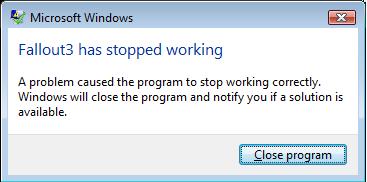
Fallout 3 has stopped working
Really? It did? Hey, thanks for letting me know! If you didn’t I would be sitting here wandering why Capital Wasteland looks exactly like my desktop background.
Actually, I take that back. This was after all a generic Vista dialog that shows up whenever something really, really fucked up happens inside a program. It means that the game itself crashed hard – it was not an exception or a runtime error that someone forgot to catch. It was a “holly shit, this was not supposed to happen” type of thing.
Whatever – I thought – shit happens. After all, Oblivion used to crap out on me like this every once in a while but it was otherwise totally playable. So I launched the game again, and this time I managed to explore a little bit of the wasteland without a crash. Until, that is, I reached the abandoned school and the game crapped out on me again. This was probably after 20-30 minutes of me aimlessly exploring the wasteland. Same stupid message.
I restarted the game, leaded it, explored the school and went outside and the game crashed again. That was it. After that, every time I would load the game from that auto-save outside the school’s door it would dump me back to the desktop. Something was seriously wrong here.
My first instinct was to google the error message but as you could imagine it was pretty much like searching for a needle in a haystack… of other needles… at night… blindfolded… and wearing mittens. Everyone has seen this message and wrote a blog/and or forum post about it. Adding “fallout 3” to the search query didn’t really improve the results.
It did give me back a lot of forum discussion threads but I quickly realized it is one of those vague problems that everyone talks about on the internet but no one has a solution. It’s like that damn irql not less or equal shit which can be triggered by just about anything – hardware, software, the phase of the moon, or the color of your underwear.
It was clear to me that I was not going to find a solution this way. So I decided to dig deeper. So I opened event viewer and almost immediately found the culprit:

Fallout 3 Error Message - check out the DLL
If you can’t figure it out from the screen, let me spell it out for you. This error log, clearly implicates the file called nvd3dum.dll as the one causing or facilitating the crash. The naming convention seems familiar, isn’t it? Who would name their DLL’s with an nvd prefix? Why nVidia of course – the maker of my video card.
So I found the reason for the crash – my video card driver and Fallout 3 were not playing nice. Armed this information I did some more googling and came up with a solution.
The Solution
Using the name of the DLL in my research yielded much better results than before. For example, this forum threadwas extremely helpful in pinpointing the exact issue.
This is what helped me:
- Start Fallout via the FalloutLauncher.exe
- Go to Options
- Click on Advanced
- Change to the Water section
- Set Water Multisampling to Low
Presto! No more crashes! Well, for the most part. The game still sometimes bugs out in V.A.T.S. but it is very rare now. I have no clue what Water Multisampling is but I’m assuming it makes the puddles and rivers in the game look more liquidy and watery. There is something in the way they go about it though, that causes Fallout 3 to crash to desktop.
Interestingly enough it only happens with the recent drivers. So if you have an older card and an older driver you will be fine. Downgrading the drivers also works. But I found it easier just to crank that feature down to low and enjoy the game without it. Frankly I can’t tell the difference so the multisampling effect was evidently lost on me anyway.
Now the million dollar question is, who to blame for this. Is this yet another Bethesda bug? Or is this yet another case of a badly written 64 bit driver? Initially I assumed it was a bug in the game code. Now I’m not sure.
Either way, if you are experiencing this crash, the way to get rid of it is to disable that multisampling feature. I hope this will get indexed by google and will show up in search results where people can find it and get on with their game.
Is it just me or is your posted screenshot of the event viewer an entry not related to nvd3dum.dll but to ntdll.dll ? I can’t seem to find the reference to the nvidia library anywhere in the error description.
You know, I think you are right. LOL! I had tons of these errors in the event viewer so I just took a screenshot of the most recent one. And of course it was the wrong one.
I think I might have found another bug.
Even the Xbox 360 version hangs occasionally. And some of the DLC was really buggy until it was pulled and replaced. Guess Bethesda have some issues with stable code.
thanks i been tryin to work out for days now whats been up with this.
thanks to the above fix, i havent experianced a crash in 3 days, and am very happy with that. I was getting them sometimes 4 or 5 times a night, very frustrating. thanks again
Thanks for sharing the info. You saved me hours of pointless googleling.
Was searching online for 3 hours trying to figure out why the game was crashing. I got the same error message you had displayed. I tried what you suggested and the game is working perfectly. Thanks for the taking the time to make this post and solve my crashing problem.
Thanks. I have been getting these errors fairly often and I run on nVidia so I am hopeful that when I try it now it will work!
Didn’t seem to work for me :/
hi I am having the same problem but…. when i click new game it starts to load and then shows the “fallout 3 has stopped working” i am using windows 7 my comuter is good enough to run the games but i cant get past that screen even with that water setting on low. someone help i am soooo lost!
Thanks loads for this solution, I have just installes 7 and was gutted when I couldn’t get fallout to work.
I have so many mods including fose so I had no idea where to start.
Thanks again.
I had this same problem every time I started the game.
I could only play in windowed mode.
Then I found the solution to my problem….could be something else for others.
My solution was to unplug my secondary screen (I used dual view) and then all was back to normal
ok so im not real computer smart but when i load the game i cant find options or advance… haha any help?
nevermind found it, it was set to low already… what do i do now?
I tried this, but it doesn’t seem to work for me :-/ I just upgraded to Windows 7 and was really sad that Fallout 3 will not launch. I’ve tried this, updating dirextX, instaleld Games for Windows Live (people on the Steam forums seemed to think it was related somehow) and nothing works. the whole system hangs when it happens so i can’t even get any details. I will have to try the secondary screen thing, I guess.
I have the same problems, fuck it I will return the game and get my money back, I am sick of crap like this.
k… i’ve had this problem for the longest time… the only thing I coulf figure out til this morning was to use msconfig to restart windows with the as minimal a selective start-up as i could… this morning, i had an epiphany, the app that was causing the problem for me is the sysinternals process explorer … all i had to do to get it working properly was to exit sysinternals, and go …
Hey i have played this game on ps3, xbox 360 and i just baught this game for my pc, now im using a 64 bit windows 7 with a engts250 1 gb video card, all SHOULD be working, but when ever i try to start the game, it crashes on me that “fallout 3 stoped working” messege, I changed the water settings like you said, but still, im confused, all i want to do is play a game i spent 60 bucks on. Anyone help?
dogs_of_war21@hotmail.com
i did the water settings and put it to low. Turn my computer off, go to bed, wake up and the game crashes again. What now?
IM using Intel 2 Duo Core, 2 ATI radeon 4800 series, 4 gb of ram, realtek sound card, and have more than enough memory to have the game installed.
dude my fricking dame wont even start wat should i do it works perfectly till it gets to start game and then it all goes black then the error pops up someone please tell me wat to do
@ Jeff:dude the same thing happened to me
i have same problem but on me don’t work other solution :(?
Haha. It seems like once the author figured out his problem, he doesn’t give two craps about the other ones out there.
@ Me:
Actually, I don’t remember designating myself a Fallout 3 support specialist. I merely shared the solution that worked for me. There is really not much I can do beyond that.
This seems to be a complex problem that seems to be hardware dependent to some extent. The other solutions I have seen out there was to install the newest nVidia drivers (as in figure out your video card model, go to the nVidia website, and download the drivers – don’t use the Windows update feature because it does not usually include the latest and greatest).
What else can I do? Since the issue on my end was more or less resolved there is really not much more I can do to troubleshoot it, can I?
I’d love to help, but I’m just a user like everyone else here. I don’t really have resources to debug this problem, nor do I have time to troubleshoot it with everyone who posts a comment.
I posted my solution hoping it will help people and hoped they will share their own solutions in the comments.
Just got email about this, and came to turn off notifications since i fixed things. For anyone else ho is having problems, I did resolve the problem a while back, and it was a super easy solution, it may work for other people too. Even if it doesn’t, it takes 5 seconds to try. Set your desktop theme to ‘Windows 7 Basic’. This turns off all Aero effects, and the game runs (mostly) fine for me after I do this. It crashes randomly every so often, maybe once every couple hours or so, (though certain locations seem prone to this, there was an electronics store that crashed like every 2 minutes till I was able to get my character out of there) but before, I could not even get it to start, so it is a huge improvement.
I agree witht he water my game worked great when the water looked clear
I guess dumb old me did not think about it
Next time when the games sets my graphics settings
I will not change them
OMG i just, uninstalled the game and i had to download it again ,when i found this :( but thanks
@ Neil:
tri to go inside the game and dezactivate the radio .. that work for me
@ MKH:
go inside the game and dezactivate the radio
.: STOPPED WORKING – EASY SOLUTION – WINDOWS 7 32bits or 64Bits :.
**********************************************************
Hi, Brothers,
here it goes:
IF YOU ARE USING STEAM…
-> Go to the directory: C:\Program Files (x86)\Steam\steamapps\common\fallout 3 goty
-> Right click on Fallout3.exe > Properties
-> In “compatibility” tab, check the boxes “disable visual themes” and “Disable Desktop Composition”
-> Click “Apply” button
-> Click “Ok” button
That`s It !!!
IF YOU ARE NOT USING STEAM…
-> Go to the Fallout 3 game directory
-> Right click on Fallout3.exe > Properties
-> In “compatibility” tab, check the boxes “disable visual themes” and “Disable Desktop Composition”
-> Click “Apply” button
-> Click “Ok” button
Bye!
Yea I am having the same problem but you see there is a minor difference with mine, it is the torrented Game of the Year edition. I would really like some help.
@ Luke Maciak:
that didnt help for me? my game wont play at all before crashing. the launcher will open, ill click play, and it will go black, and fullscreen like its about to load, and then crash. any ideas?
The game didnt even started !!i couldnt even see the menu! Dude thank you so much!!!
Got me past the part I was crashing on (defend the house with Desmond). Seems like the same problem with Skyrim. It’s like they put too much in to the graphics. So much, that it crashes when you have too much going on, on screen. Like in Skyrim, if I walked in to a cave with a lot of light effects, or in a city at noon, I would get the same type of crash. Same fix, go figure. I hope Bethesda get’s it through their head before they ruin another Fallout. Seriously, I love the game, but I will not spend another dime on their games until I can find a forum saying: Oh wow, they did a great job….
The normal forum input is: bugs bugs bugs bugs bugs bugs bugs… It’s become obvious to me, they have poor talent in the programming department.
Again, thanks for the fix, it did better than the config edit.
OMG. I already have that thing low and crashes outside the vault. What i am supossed to do now?
FUUUUUUUUUUUCK!
Six years later and this is still helping people, like me. Thank you so much for the fix. I couldn’t get through this door without crashing. Thank you!
@ Drake:
have you tried going into your INIs?
http://forums.steampowered.com/forums/showthread.php?t=2825612